
Disclosure: This article contains affiliate links. If you purchase through these links, we may earn a small commission at no extra cost to you. As an Amazon Associate, AESV earns from qualifying purchases. We only recommend products we have researched and believe add value for our readers.
Editor’s Note: This article was originally published in 2018 and has been completely rewritten for 2026 with updated statistics, current smart home product recommendations, and expanded coverage of energy savings, security, and comfort benefits. We have replaced outdated pricing and product references with current data.
A smart home used to mean a fancy thermostat and maybe some voice-controlled lights. In 2026, it means a connected ecosystem that can cut your energy bills by 15–30%, make your home more secure, and give you control over nearly everything from your phone — whether you are on the couch or across the country.
This guide covers the real, measurable benefits of smart home technology: what actually saves money, what actually makes life easier, and which upgrades deliver the best return. No hype, no vague promises — just the data and practical advice you need to decide which smart home features are worth your investment.
Quick Answer
Smart home technology can save the average U.S. household $500–$1,500 per year on energy costs alone. The biggest savings come from smart thermostats (10–15% on heating/cooling), smart lighting (up to 25% on lighting costs), and smart plugs (eliminating phantom power draw). Beyond energy, smart homes offer meaningful improvements in security, convenience, and accessibility. The best starting point for most homeowners is a smart thermostat, which typically pays for itself within one year.
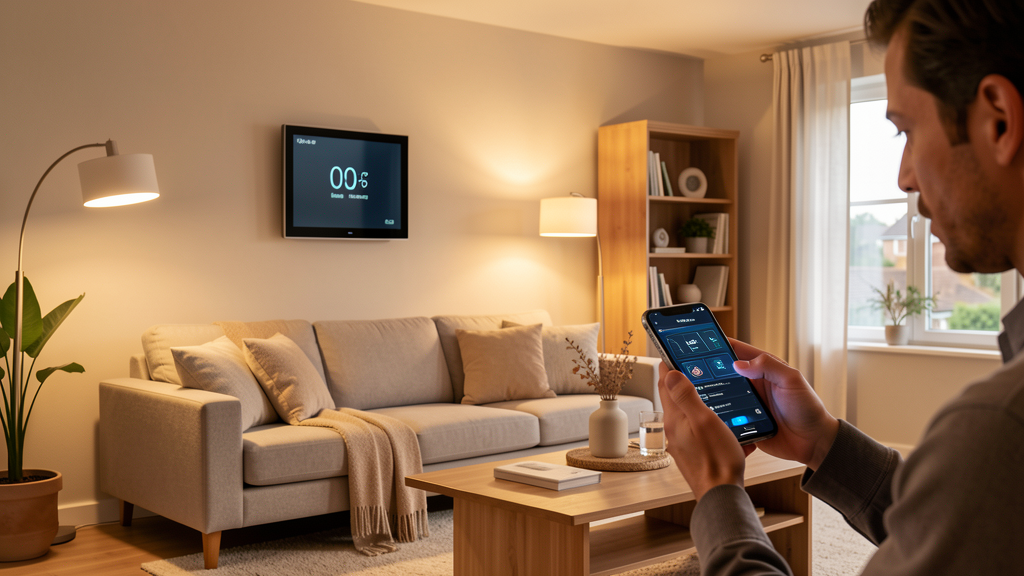
Energy Savings: Where Smart Home Tech Actually Saves You Money
The average U.S. household spent approximately $2,400–$3,200 on home energy in 2025, according to the Energy Information Administration. Smart home devices target the biggest energy consumers — heating, cooling, lighting, and always-on appliances — and reduce waste through automation and monitoring.
Smart Thermostats: The Single Biggest Win
A smart thermostat is the most impactful single smart home upgrade for most households. Here is what the data shows:
- Nest Learning Thermostat: Google’s data shows an average savings of 10–12% on heating and 15% on cooling, translating to approximately $131–$145 per year for the typical U.S. home
- ecobee Smart Thermostat: Reports average savings of 23% on heating and cooling when using room sensors and smart scheduling
- Amazon Smart Thermostat: A budget-friendly option that still delivers 10–15% savings through scheduling and remote control
The key features that drive savings are geofencing (automatically adjusting when you leave or approach home), learning algorithms (adapting to your schedule over time), and room sensors (heating or cooling the rooms you actually use instead of the whole house evenly).
| Smart Thermostat | Price Range | Estimated Annual Savings | Payback Period | Key Feature |
|---|---|---|---|---|
| Nest Learning Thermostat (4th Gen) | $250–$280 | $131–$145 | ~2 years | Auto-scheduling, energy history |
| ecobee Smart Thermostat Premium | $220–$250 | $150–$200 | ~1.5 years | Room sensors, Siri/Alexa built-in |
| Amazon Smart Thermostat | $55–$75 | $100–$140 | <1 year | Budget pick, Alexa integration |
| Honeywell Home T9 | $170–$200 | $120–$160 | ~1.5 years | Smart room sensors, humidity control |
Bottom line: A smart thermostat is the highest-ROI smart home device for most households. If you install only one smart device, make it this one.
Smart Lighting: Cut Lighting Costs by Up to 25%
Lighting accounts for approximately 10–15% of a home’s electricity use. Smart lighting reduces this through three mechanisms:
- LED efficiency: Most smart bulbs are LED, using 75% less energy than incandescent bulbs
- Automation: Lights turn off automatically when rooms are unoccupied (using motion sensors or geofencing)
- Dimming: Smart dimmers reduce output (and energy use) when full brightness is not needed
A typical household that replaces 20 incandescent or CFL bulbs with smart LEDs and uses automation can save $100–$200 per year on lighting costs. The most popular options include Philips Hue, Lutron Caseta, and Wyze Bulbs.
Smart Plugs: Eliminate Phantom Power Draw
“Phantom” or “vampire” power draw from electronics on standby costs the average U.S. household $100–$200 per year. Smart plugs let you cut power to devices when they are not in use — automatically on a schedule, or triggered by a voice command or motion sensor.
Common culprits include entertainment centers (TV, soundbar, gaming console), home office equipment (monitor, printer, speakers), and kitchen appliances (coffee maker, toaster oven). A $10–$15 smart plug can save $20–$40 per year per device, paying for itself in under six months.
Smart Water Heaters and Monitors
Water heating is the second-largest energy expense in most homes. Smart water heater controllers (like the Rheem ProTerra or EcoNet) let you schedule heating cycles, track usage, and get leak alerts. Savings typically range from 10–20% on water heating costs, or $75–$150 per year for the average household.
Home Security: Smarter Protection, Lower Insurance
Smart home security has evolved far beyond traditional alarm systems. Modern smart security combines cameras, doorbell sensors, motion detectors, and smart locks into a system you monitor and control from your phone — often with no monthly monitoring fee.
Key Security Benefits
- Real-time alerts: Get notified instantly when someone approaches your door, a window opens, or motion is detected in an unusual area
- Remote monitoring: Check camera feeds from anywhere — at work, on vacation, or from bed
- Smart locks: Lock and unlock doors remotely, create temporary codes for guests or service workers, and get alerts when doors are accessed
- Video doorbells: See and speak with visitors whether you are home or not; record footage of package deliveries
- Automation: Program lights to turn on/off randomly when you are away, creating the appearance of an occupied home
A 2025 study by the University of North Carolina found that homes with visible security cameras and smart doorbells experienced 50% fewer burglaries than comparable homes without them.
Insurance Discounts
Many homeowner insurance companies offer 5–20% discounts for homes with monitored security systems, including smart security setups. That can translate to $50–$300 per year in savings, depending on your policy. Contact your insurer to ask which smart security features qualify for a discount.
Comfort and Convenience: The Daily Quality-of-Life Upgrade
Energy savings and security get the headlines, but the daily convenience of a smart home is what most homeowners appreciate most after the first month. Here are the comfort benefits that make the biggest difference:
Voice Control and Automation
Voice assistants (Alexa, Google Assistant, Siri) let you control lights, thermostats, locks, and media without reaching for your phone. Common routines include:
- “Goodnight” — turns off all lights, locks doors, sets thermostat to sleep temperature
- “I’m home” — unlocks the door, turns on entry lights, adjusts thermostat
- “Movie time” — dims living room lights, closes smart blinds, turns on TV and soundbar
- “Leaving” — arms security, turns off all lights and non-essential devices, lowers thermostat
Climate Zoning
Smart vents and room sensors (like those from ecobee or Flair) let you heat or cool specific rooms instead of the entire house. This is especially valuable in homes where some rooms are rarely used, or where different family members prefer different temperatures. Zoning can reduce energy waste by 10–20% beyond what a smart thermostat alone achieves.
Smart Blinds and Window Treatments
Automated blinds that open and close based on the sun’s position can reduce solar heat gain in summer (lowering cooling costs) and capture free solar warmth in winter. Savings vary by climate, but studies show 5–15% reduction in heating and cooling costs when automated blinds are used with a smart thermostat.
Smart Home Benefits for Specific Groups
For Renters
Many smart home devices are renter-friendly and move with you: smart plugs, portable smart speakers, smart bulbs (just swap back the originals when you leave), and standalone sensors. Even a smart thermostat installation is reversible if you keep the original thermostat. Renter-friendly smart home kits start at $100–$200.
For Seniors and Accessibility
Smart home technology offers meaningful quality-of-life improvements for aging-in-place homeowners and those with mobility challenges:
- Voice control eliminates the need to physically reach switches and thermostats
- Smart locks provide keyless entry and remote access for caregivers
- Leak sensors and water shutoff valves prevent costly water damage
- Fall detection sensors (in some smart watches) can trigger emergency alerts
- Medication reminders and routine automation support daily health management
For Home Sellers
A smart home setup increases buyer appeal. Homes with smart thermostats, security systems, and automated lighting are perceived as modern and well-maintained. While the direct value-add varies, real estate agents report that smart features help homes sell faster, especially among buyers under 45.
Smart Home Benefits vs. Costs: The Full Picture
| Smart Home Upgrade | Typical Cost | Annual Savings/Benefit | Payback Period |
|---|---|---|---|
| Smart thermostat | $55–$280 | $100–$200 | 6–18 months |
| Smart lighting (10 bulbs + hub) | $100–$300 | $75–$150 | 1–2 years |
| Smart plugs (4-pack) | $25–$60 | $50–$100 | 3–6 months |
| Video doorbell | $100–$250 | $50–$200 (insurance) | 1–2 years |
| Smart security system | $200–$500 | $100–$300 (insurance + loss prevention) | 1–3 years |
| Smart water heater controller | $150–$300 | $75–$150 | 2–3 years |
| Smart blinds (per window) | $150–$400 | $30–$80 | 3–5 years |
Pros and Cons of Smart Home Technology
Pros
- Measurable energy savings ($500–$1,500/year)
- Enhanced home security and lower insurance
- Increased comfort and convenience
- Remote control from anywhere
- Accessibility for seniors and disabled users
- Increases home resale appeal
- Scalable — start small, add over time
Cons
- Upfront cost for devices and setup
- Requires reliable Wi-Fi to function
- Learning curve for non-technical users
- Privacy concerns with always-on devices
- Devices may require periodic firmware updates
- Ecosystem lock-in (Alexa vs Google vs Apple)
- Some devices require monthly subscriptions
Getting Started: A Practical Smart Home Roadmap
You do not need to automate everything at once. Here is a phased approach that maximizes ROI at each step:
Phase 1: Essentials (Under $150)
- Smart thermostat — biggest single energy saver
- Smart plugs (4-pack) — eliminate phantom power draw on key devices
- Smart speaker — voice control hub for everything else
Phase 2: Security and Lighting ($150–$400)
- Video doorbell — security + insurance discount
- Smart bulbs or switches — automate the rooms you use most
- Motion sensors — trigger lights and alerts automatically
Phase 3: Advanced ($400+)
- Smart security system — full perimeter monitoring
- Smart locks — keyless entry, guest codes, activity logs
- Smart blinds — automated climate control through windows
- Water leak sensors — prevent costly water damage
Frequently Asked Questions
How much money can a smart home actually save?
A fully optimized smart home can save the average U.S. household $500–$1,500 per year through a combination of reduced energy use (smart thermostat, lighting, plugs), lower insurance premiums (security system), and prevented damage (leak sensors). The biggest single savings come from a smart thermostat, which typically saves $100–$200 per year on heating and cooling.
Do smart home devices work without Wi-Fi?
Most smart home devices require Wi-Fi for remote control and automation features. However, many devices retain basic functionality without an internet connection — a smart thermostat will still follow its programmed schedule, and smart bulbs can be controlled by their physical switch. Some ecosystems (like Zigbee or Z-Wave based systems) operate on a local network and are less dependent on cloud connectivity.
Are smart home devices secure from hackers?
Reputable smart home brands (Google Nest, ecobee, Ring, Philips Hue) use encryption and regular security updates to protect against hacking. To minimize risk: use strong, unique passwords, enable two-factor authentication, keep firmware updated, and connect IoT devices to a separate Wi-Fi network (most modern routers support guest networks). Avoid no-name brands that may not receive security patches.
Which smart home ecosystem is best: Alexa, Google, or Apple?
Each has strengths. Amazon Alexa has the widest device compatibility and the most affordable hardware. Google Assistant is better at answering questions and integrates well with Android phones. Apple HomeKit offers the strongest privacy and seamless integration with iPhones and Macs. For most homeowners, Alexa or Google offer the best balance of price, compatibility, and ease of use. Choose the ecosystem that matches the devices you already own.
Do smart homes increase property value?
Smart home features contribute to buyer appeal and can help a home sell faster, especially among younger buyers. While standalone smart devices (thermostats, doorbells) may not add significant appraised value on their own, they contribute to the overall impression of a modern, well-maintained home. Integrated smart systems — especially those paired with geothermal heating or solar panels — can add measurable value. See our guide on how geothermal increases home market value for more on energy-efficient home premiums.
What is the best smart home device to start with?
A smart thermostat is the best first purchase for most households. It delivers the highest energy savings, is easy to install, works with most existing HVAC systems, and provides a tangible financial return within the first year. After that, smart plugs and a video doorbell offer the next-best ROI.
Can I install smart home devices myself?
Most smart home devices are designed for DIY installation. Smart thermostats typically take 15–30 minutes to install with basic tools. Smart bulbs are plug-and-play. Smart plugs just go into your existing outlets. Video doorbells may require some wiring (for hardwired models) or can be battery-powered with no wiring at all. The main exception is whole-home security systems, which some homeowners prefer to have professionally installed and monitored.
The Bottom Line
Smart home technology in 2026 is no longer a luxury or a gimmick — it is a practical investment that delivers measurable energy savings, enhanced security, and daily convenience. The best approach is to start with the highest-ROI devices (smart thermostat, smart plugs, video doorbell) and expand from there as your budget and comfort level grow.
The key is to focus on devices that solve real problems in your daily life, not just gadgets that look cool. If your home is always too hot or too cold, start with a thermostat. If you worry about packages being stolen, start with a doorbell. If your electric bill shocks you every month, start with smart plugs and lighting. The technology works best when it is solving a specific pain point.
Next Steps
- Compare smart and renewable energy options: Solar vs Geothermal: What’s the Difference?
- Learn how green upgrades increase home value: How Geothermal Can Increase Your Home’s Market Value
- Explore Alternative Energy Sources for Homes to compare all your options
- Check out our Solar Light Hacks for outdoor smart lighting ideas
Last updated: July 2026. We research and update our guides regularly. Product prices and savings estimates are based on publicly available data as of mid-2026. Actual savings depend on your home size, climate, usage patterns, and local energy rates. Always check current pricing and availability before purchasing.
