
AFFILIATE DISCLOSURE: We may earn a commission when you click on links to products on this page. As an Amazon Associate, we earn from qualifying purchases. This helps support our free guides at no extra cost to you.
Can solar-powered security cameras actually work? Yes — modern solar cameras with built-in rechargeable batteries and efficient solar panels can run 24/7 without any wiring. The best models from Reolink, Ring, and Arlo offer 2K+ resolution, night vision, and months of operation even in moderate climates. Here’s how to choose the right one.
You want to secure your property — a barn, garage, backyard, or vacation home — but running power cables and Ethernet isn’t practical. Maybe you’re renting, maybe the building is too far from the house, or maybe you just don’t want to deal with electricians. Solar-powered security cameras solve all of these problems.
In 2026, solar security cameras have matured from gimmicky novelties into reliable, feature-rich devices. They’re weatherproof, offer sharp video quality, and most importantly, they run entirely on sunlight. No wires, no outlets, no monthly battery swaps. Here’s everything you need to know before buying.
Why Choose a Solar-Powered Security Camera?
Solar cameras aren’t just for off-grid cabins. They’re a practical solution for a wide range of situations:
- No wiring required — Install anywhere with sunlight. No electrician, no drilling, no running cables through walls.
- Zero electricity cost — The sun powers your camera for free after the initial purchase.
- Flexible placement — Mount on trees, fences, sheds, poles, or anywhere a conventional camera can’t reach.
- Renter-friendly — Many models mount with screws or adhesive strips. Take them with you when you move.
- Works during power outages — A charged battery keeps your camera running even when the grid goes down.
- Low maintenance — Quality solar panels last 20+ years. The camera’s rechargeable battery typically lasts 2–3 years before needing replacement.
How Solar Security Cameras Work
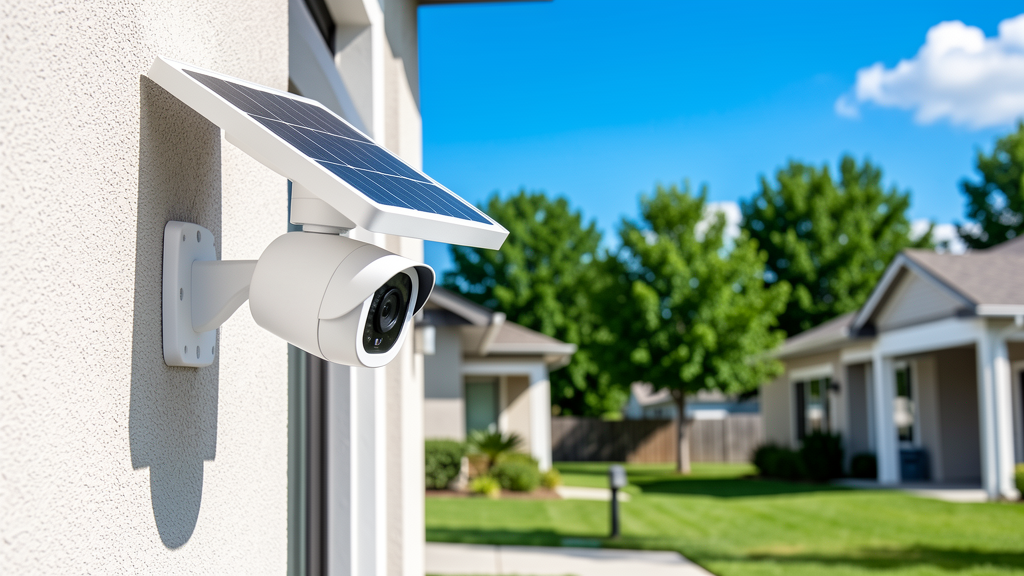
A solar security camera has three core components:
- Solar panel — Converts sunlight into electricity. Most models have a small integrated panel; some use a separate panel connected by cable for better positioning.
- Rechargeable battery — Stores energy for nighttime and cloudy-day operation. Capacity ranges from 5,000 mAh to 15,000+ mAh depending on the model.
- Camera unit — Contains the lens, image sensor, motion detector, WiFi/cellular module, and storage (cloud and/or local microSD).
During the day, the solar panel charges the battery while the camera operates. At night, the battery powers everything. In a typical installation with 2–3 hours of direct sunlight daily, most cameras maintain a full charge indefinitely.
Top Solar Security Cameras Compared (2026)
Here are the leading models homeowners are actually using, with their key specs:
| Camera | Resolution | Battery | Solar Panel | Storage | Price Range |
|---|---|---|---|---|---|
| Reolink Argus 4 Pro + Solar Panel 2 | 4K UHD | 7,000 mAh | 6W (included) | microSD + cloud | $130–$160 |
| Ring Stick Up Cam Solar | 1080p HD | 6,000 mAh (removable) | Ring Solar Panel (included) | Cloud (Ring Protect plan) | $140–$180 |
| Arlo Pro 5S + Solar Panel | 2K HDR | 7,800 mAh (removable) | Arlo Solar Panel 2 (included) | Cloud (Arlo Secure plan) | $180–$230 |
| eufyCam S350 + Solar Panel | 4K wide + 2K telephoto | 13,000 mAh | eufy Solar Panel (included) | HomeBase 3 (local, no monthly fee) | $200–$270 |
| Reolink Go Ultra (4G LTE) | 4K UHD | 10,000 mAh | Reolink Solar Panel 2 (included) | microSD + cloud | $200–$250 |
WiFi vs. Cellular: Which Do You Need?
| Feature | WiFi Solar Camera | Cellular (4G/LTE) Solar Camera |
|---|---|---|
| Best for | Homes, yards, garages within WiFi range | Remote properties, farms, barns, construction sites |
| Internet required | Home WiFi network | Cellular data plan (typically $5–$15/month) |
| Range | 100–300 ft from router | Anywhere with cell coverage |
| Video quality | Higher (more bandwidth) | Good, but may compress more |
| Ongoing cost | None (uses existing WiFi) | Data plan ($5–$15/month) |
| Popular models | Reolink Argus 4, Ring Stick Up, Arlo Pro 5S | Reolink Go Ultra, Arlo Go 2 |
Bottom line: If your camera location has WiFi coverage, go WiFi — it’s simpler and has no monthly fee. If you need a camera in a field, barn, or remote gate, a cellular model with a data plan is your only realistic option.
Key Features to Compare
Resolution
1080p (Full HD) is the minimum acceptable in 2026. 2K and 4K models capture significantly more detail — useful for reading license plates or identifying faces at distance. However, higher resolution means more battery drain and more cloud storage usage.
Night Vision
Look for cameras with both color night vision (using a spotlight or large sensor) and infrared (IR) night vision (black-and-white, lower battery draw). Color night vision is better for identification; IR is better for always-on monitoring.
Motion Detection
The best solar cameras use PIR (passive infrared) sensors combined with AI person/vehicle detection to reduce false alerts from wind, animals, and shadows. Basic models alert on any motion — which gets annoying fast.
Storage
| Storage Type | Pros | Cons |
|---|---|---|
| Cloud (subscription) | Access from anywhere, footage survives theft | Monthly fee ($3–$10/mo per camera) |
| Local microSD | No monthly fee, works offline | Footage lost if camera is stolen |
| HomeBase / hub (local) | No fee, footage stored inside your home | Hub must be inside, range limited |
Weather Resistance
For outdoor solar cameras, look for IP65 or IP67 ratings. IP65 handles rain and dust; IP67 can survive temporary submersion. Avoid anything rated IP64 or below for permanent outdoor installation.
Installation Best Practices
- Position the solar panel facing south (in the Northern Hemisphere) for maximum sun exposure. Avoid spots with heavy tree shade or building shadows.
- Mount the camera 8–10 feet high — high enough to prevent tampering, low enough to capture useful detail (faces, packages).
- Aim slightly downward to capture people’s faces rather than the tops of their heads.
- Test WiFi signal strength before permanent installation. Use your phone — if you can’t stream video smoothly at the mounting location, the camera won’t work reliably either.
- Secure the cable between a separate solar panel and camera in a protective conduit. Exposed cables are vulnerable to weather and tampering.
- Check the app for firmware updates after installation. Many cameras ship with outdated firmware that impacts battery life and motion detection accuracy.
Cost Breakdown: What to Expect
| Item | One-Time Cost | Ongoing Cost |
|---|---|---|
| Solar security camera + panel | $100–$270 | $0 |
| Cloud storage plan (optional) | $0 | $3–$10/month per camera |
| microSD card (optional) | $10–$25 | $0 |
| Cellular data plan (if applicable) | $0 | $5–$15/month |
| Mounting hardware | $10–$30 | $0 |
A single solar security camera with cloud storage costs roughly $150–$300 upfront plus $36–$120/year for cloud plans. Compare that to a wired system requiring professional installation ($500–$2,000+) and you can see why solar cameras have become so popular.
Solar Security Camera FAQ
Do solar security cameras work in winter or cloudy climates?
Yes, but with reduced solar charging. In winter or heavily overcast climates, the camera relies more on its internal battery. Most quality solar cameras have batteries large enough to last 1–3 months without any sun. In extreme northern latitudes (Alaska, Scandinavia) with extended dark winters, you may need to bring the camera indoors to charge via USB a few times per season.
How long does the battery last without sun?
Most solar cameras with 6,000–10,000 mAh batteries last 1–4 months without any solar charging, depending on motion activity. A camera that triggers 20 times per day will drain faster than one that triggers 5 times per day. Cameras in low-activity areas can last 3–6 months on battery alone.
Can solar cameras record 24/7 or only on motion?
Most solar cameras only record on motion detection to conserve battery. Continuous 24/7 recording requires constant power (wired) because it drains batteries too quickly. Some models offer a “scheduled recording” mode that records at intervals during certain hours, which is a middle ground.
Are solar security cameras easy to install?
Yes — most solar cameras mount with 2–3 screws and connect to WiFi through a smartphone app in under 10 minutes. No electrician, no drilling through walls, no running cables. The hardest part is usually choosing the right mounting location for sun exposure and WiFi signal.
Do I need a subscription for solar security cameras?
Not necessarily. Brands like Reolink and eufy offer local storage (microSD or HomeBase) with no monthly fee. Ring and Arlo push cloud subscriptions — their cameras work without a plan but with limited features (no video history, no smart alerts). If you want to avoid subscriptions, prioritize Reolink or eufy.
Final Thoughts
Solar-powered security cameras have come a long way. In 2026, they’re a legitimate, reliable option for home security — especially for locations where running power and Ethernet isn’t practical. The best models offer 2K–4K video, AI-powered motion detection, and months of battery life on a single charge.
For most homeowners, a WiFi model like the Reolink Argus 4 Pro with local microSD storage gives you the best balance of features, quality, and zero ongoing cost. For remote properties, step up to a cellular model like the Reolink Go Ultra.
Want to learn more about powering your home with solar? Check out our Home Solar Panels Guide or explore our Solar Battery Backup Guide for whole-home energy storage options.
Last updated: July 2026. Product specs and prices are subject to change. Always verify current availability and seller details before purchasing.
